


StubHub - Live Event Tickets
4.324.63K Reviews
App Specs
- Version
- 106.9.7
- Updated On
- License
- Free
- Downloads
- 10,000,000+
- Developer
- StubHub
- Categories
- Events
- Platform
- Android, iOS
Screenshots
 Analysis by AppCompare
I tend to open a ticket app when I have a specific event in mind, but the real test is how quickly I can narrow the choices when I’m only browsing. StubHub is an events app from StubHub, built around buying and selling tickets for live shows and other gatherings. In my experience, its main appeal is having several kinds of events in one place rather than needing to begin with a venue’s own site. The StubHub name is familiar in ticket resale, and the app feels aimed at people who want to compare what is available before making plans.
What to expect when browsing
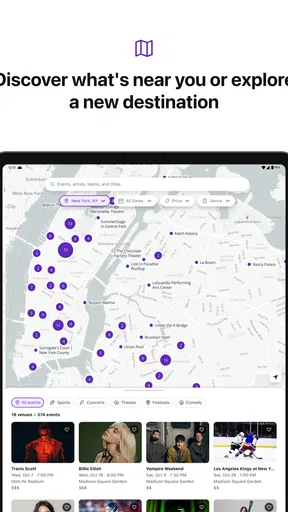
The first impression is straightforward: I can browse events, use filters, and move toward a specific listing without needing to learn a complicated interface. That matters when I’m checking options during a short break or trying to coordinate a plan with someone else. A search can still take some patience if I’m undecided about the date or event, because comparing listings is part of the decision rather than a task the app can make disappear.
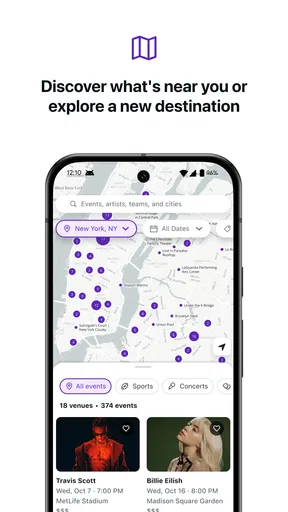
I’d use the date and location filters early instead of scrolling through a broad list. That simple habit makes the app more useful when a tour or event has several nearby dates, and it helps me avoid getting attached to a listing that doesn’t fit my schedule. If I’m flexible, I’d compare more than one date before settling on seats; if I’m not, I’d narrow the search first and treat the remaining choices as a practical shortlist.
When plans get busy
Ticket shopping often happens alongside messages, calendars, and conversations about who is going. I find it helpful to decide the important details before opening a listing: which date works, how many people need to attend, and what kind of seat location is acceptable. That keeps a quick browse from turning into a long chain of almost-right choices. The app can bring options together, but I still need to make the trade-offs between price, location, and convenience myself.
A realistic use case is a friend asking on a weekday afternoon whether I want to go to a show that weekend. I can check nearby event options, filter for the date, and compare available seats before replying, rather than telling everyone to search separately. If the group is split between different budgets, I’d agree on a ceiling first and compare listings against it. This is also a sensible point to pause: a ticket that looks appealing at first glance is not automatically the best choice for the whole group.
Getting Started with StubHub
First things first, downloading the StubHub app was a breeze. Once installed, the app greeted me with a clean and intuitive interface. Signing up was straightforward, requiring only a few basic details. As someone who's not the most tech-savvy, I appreciated the simplicity. After logging in, I was ready to explore the world of live events.
Exploring Events
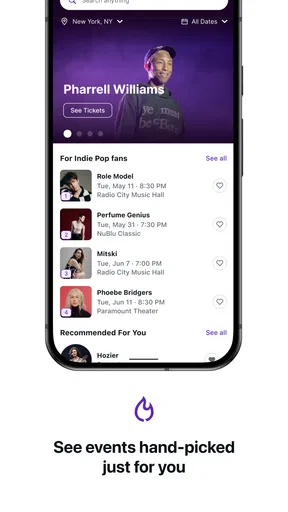
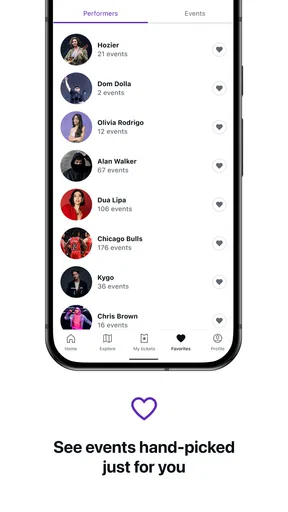
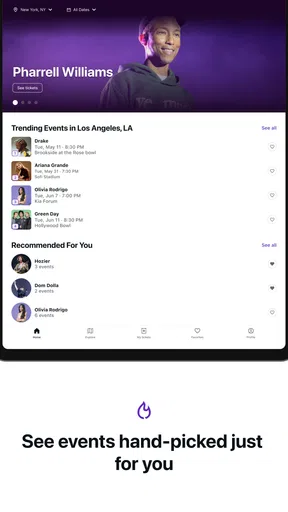
The app's home screen is a vibrant showcase of upcoming events, tailored to my location and interests. From concerts and theater shows to sports events, the variety is impressive. I found it particularly handy that I could filter events by date, location, and category. It didn't take long before I was browsing through a list of concerts happening near me.
Worth Reading Before You Choose

Flipboard Shows What News Apps Must Do Beyond the Feed

Switching to Android Auto Means Rethinking Your Driving Routine

Google Calendar Makes a Crowded Week Easier to Manage

Ludo King Makes the Most of the Minutes Between Plans

Baby Panda World Brings Quick Play to Modern Phones, but Its Game Library Feels Busy

ESPN’s Live Game View Makes Following Close Games Easier
For a less obvious workflow, I’d use those filters as a way to compare plans, not merely to find the first result. When several dates or event types could work, checking them side by side can reveal whether the most convenient option is worth choosing over a different night. I also like treating the location filter as a planning tool: a nearby event may be easier to manage than a more distant one even if both look attractive on the screen. The best result is the one that fits the evening as a whole, not just the event name.
Buying Tickets
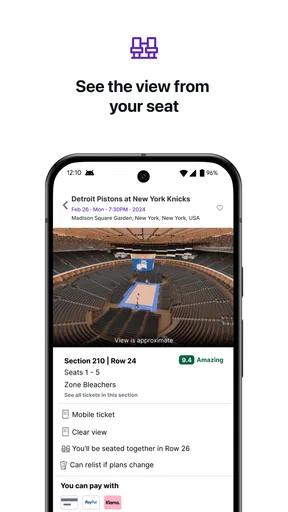
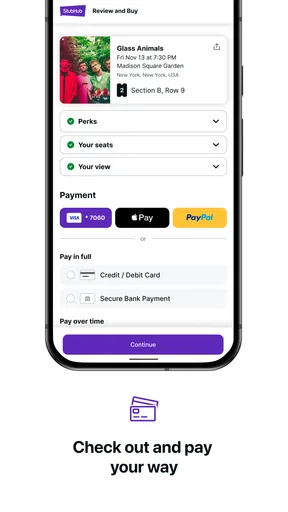
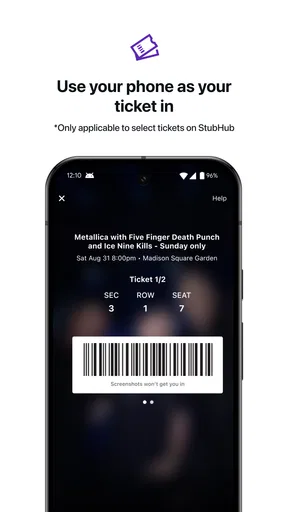
Purchasing tickets was as smooth as butter. I selected an event, and the app displayed all available seats in a neat seating chart. The prices are clearly marked, so there's no confusion. A few taps later, my tickets were secured. The app also offers a feature to add your tickets to your phone’s wallet, which is a nice touch for those who love having everything in one place.
Before buying, I’d take a moment to compare the seat position and the total cost shown for the options I’m considering. The cheapest listing is not necessarily the right fit if the location is important to me, while a preferred section may not justify its extra cost for a casual night out. A seating chart helps me make that judgment visually, but I’d still read the details of the chosen listing carefully before confirming. For a group, it is worth agreeing on seats together before checkout rather than assuming everyone will be happy with the first option.
Seller's Paradise
If you’re looking to sell tickets, StubHub has got you covered. Listing tickets for sale is straightforward, and the app provides a helpful guide on setting competitive prices. Plus, you can adjust your listing anytime, giving you full control. I haven’t sold any tickets yet, but the process seems hassle-free.
Selling makes the most sense when plans change and I’d rather try to recover some of the cost than leave tickets unused. I would check that the event and ticket details are accurate before creating a listing, then revisit the asking price if the listing is not attracting interest. The ability to adjust a listing is useful, but it also means I need to stay involved instead of assuming that posting it once settles everything. If I have no flexibility to monitor the sale or follow through, I’d avoid treating resale as guaranteed money back.
Choosing the right ticket route
StubHub is most useful when I want a broad marketplace view or need to look for tickets beyond the first option I find. The usual alternative is to start with the event venue or organizer, which can be simpler when I already know exactly where I want to buy and want to compare against that source directly. For an event with limited availability, a resale marketplace can widen the set of listings I can consider, but it also asks me to pay close attention to the exact ticket details and price before committing.
I would not make this my only stop if I’m highly price-sensitive or if the organizer’s own ticket channel is easy to use. Comparing the same event through more than one route is a practical check, especially when the seat location or final cost matters more than convenience. On the other hand, if I’m flexible about dates, sections, or even which event to attend, browsing a marketplace can be more useful than searching one venue at a time. The choice depends on whether I value range or a direct, familiar purchase path more.
Customer Support and Reliability
Now, let’s talk about support. The app offers a comprehensive help section, addressing common queries. If you need personalized assistance, there’s a live chat feature that connects you to a support agent. I tried it out with a few questions, and the response time was impressive. It's comforting to know that help is just a tap away if things go awry.
For a time-sensitive purchase, I’d keep the event details and the question I need answered clear before opening support. That makes it easier to explain the issue and decide what to do next without repeatedly checking back through several screens. If I’m buying for a date that is close, I’d complete the decision early enough to leave room to resolve confusion rather than waiting until the last minute. Support is reassuring, but it is not a substitute for checking the listing before purchase.
When it comes to reliability, StubHub assures its users with a FanProtect Guarantee, which promises valid tickets or your money back. This level of assurance makes the buying and selling experience feel much more secure.
Device fit and everyday use
The app is free and rated for everyone, and it has been available since March 9, 2011. Its current version is 103.7.52, with Android support beginning at version 8.0. Those details make it accessible to people using a range of Android devices, though a supported operating system alone does not tell me how quickly a particular phone will load every screen. I’d expect the experience to depend partly on the device and connection, so I would not judge a brief delay as proof that a ticket listing itself is unavailable.
For a busy event day, I’d prepare before leaving home: check the purchase details, make sure I know where the tickets are stored, and use the phone’s wallet option if that suits my routine. This reduces last-minute searching, especially when I’m moving between messages, directions, and the entrance. It is a practical habit rather than a promise that every device or venue situation will behave identically. If my phone is older or low on space, I’d avoid leaving the app and ticket access until the moment I need them.
Who will get the most from it?
I’d recommend StubHub to people who attend live events often enough to value a single place to browse concerts, theater, sports, and other listings, and to anyone who may need to resell tickets when plans change. It is also a reasonable choice for someone who has a date in mind but wants to compare available seating before deciding. Its convenience is less compelling for a person who already knows the exact official source they want to use and prefers not to compare marketplace listings.
It may also be the wrong fit for someone who expects every ticket search to produce a bargain or who wants to avoid making judgment calls about seats and listings. A marketplace can offer choice, but choice takes attention. I’d use it when the range of options is valuable; I’d choose a direct venue or organizer route when simplicity and a familiar purchase path are the priorities. Either way, I would make the final decision from the event, date, seat, and cost together rather than from a headline price alone.
Scale, stability, and the final call
StubHub has an average rating of 4.0 from around 84,000 ratings, with roughly 23,000 written reviews and more than 10 million installs. That suggests it is a widely used service, not that every person will have the same experience or that every event listing will suit them. StubHub is free to download, and the developer is StubHub. I see its strongest case as practical access to event listings plus a way to manage buying and selling in one app, rather than a guarantee that ticket decisions will always be effortless.
In day-to-day use, I value the clear route from browsing to a seat choice, along with the ability to keep tickets organized on my phone. I would still take time over the purchase details, particularly when choosing for a group or comparing resale options. If I only attend events occasionally, the app can still be handy when a specific plan comes up, but there is no need to browse constantly. Its usefulness is greatest when I have a real event decision to make.
Final Thoughts
To sum it up, StubHub is a solid pick for anyone looking to buy or sell event tickets. The app is user-friendly, the selection of events is vast, and the customer support is top-notch. While I haven’t encountered any major issues, it's always good to double-check tickets and reviews before making a purchase. So, if you're on the hunt for tickets to your favorite events, StubHub might just be the app you need in your life. Give it a whirl, and you might never miss a show again!
Pros
- User-friendly interface for quick browsing.
- Wide range of events available worldwide.
- Secure payment options for peace of mind.
- Mobile ticketing for easy entry to events.
- Real-time notifications on event updates.
Cons
- Service fees can be quite high.
- Limited customer support options.
- Occasional app crashes reported by users.
- Ticket prices may vary significantly.
- Refund policy can be restrictive.
FAQs for StubHub - Live Event Tickets
What is StubHub and how does it work?
StubHub is an online platform that allows users to buy and sell tickets for live events, including concerts, sports, and theater shows. The app connects buyers with sellers, providing a safe and secure marketplace. Users can browse events, select seats, and purchase tickets directly through the app.
Is StubHub a reliable platform for purchasing tickets?
Yes, StubHub is a reliable platform with a FanProtect Guarantee that ensures ticket authenticity and on-time delivery. The app provides customer support and a secure payment process, giving users peace of mind when purchasing tickets. Any issues can often be resolved quickly through their support team.
How are fees structured on StubHub?
StubHub charges a service fee on tickets, which is a percentage of the ticket price. This fee covers the platform's operations and guarantees. The exact fee can vary, so it's important to review the total cost at checkout. Sellers also pay a fee to list their tickets on the platform.
Can I sell my tickets on StubHub, and how does it work?
Yes, you can sell your tickets on StubHub. Simply list your tickets with the event details and set your price. Once your tickets sell, you'll receive instructions for delivering them to the buyer. You’ll get paid via PayPal or direct deposit after the event takes place.
What should I do if I encounter an issue with my tickets?
If you encounter an issue, contact StubHub's customer service immediately. They offer support via phone, email, and chat to resolve problems. Whether it's a problem with ticket delivery or event access, StubHub's FanProtect Guarantee aims to provide solutions or refunds when necessary.


